
CRM software comparison for 2026: AI capabilities, pricing, and when to hire an agency
Intro — why this CRM software comparison matters now
Choosing the right CRM in 2026 is more complex than feature lists and price tiers. AI agents, no-code automations, omnichannel messaging, and native analytics shift how CRMs impact revenue and rep efficiency. This CRM software comparison walks you through what to compare, real migration pitfalls, and when hiring an agency makes sense.

What you'll learn: which AI features to prioritise, how pricing actually affects ROI, a simple comparison table of leading platforms, an ROI calculator approach, and a checklist to decide whether to DIY or hire an agency.
Quick answer: CRM software comparison in 2026
Short version: when comparing CRMs in 2026, rank platforms by AI automation capability, integration depth, and how fast the system turns activities into revenue. Small teams often prefer usability and cost; enterprises value extensibility and governance. For many SMBs, an agency can shorten time-to-value and reduce migration risk.
What to compare first: core criteria for a crm software comparison
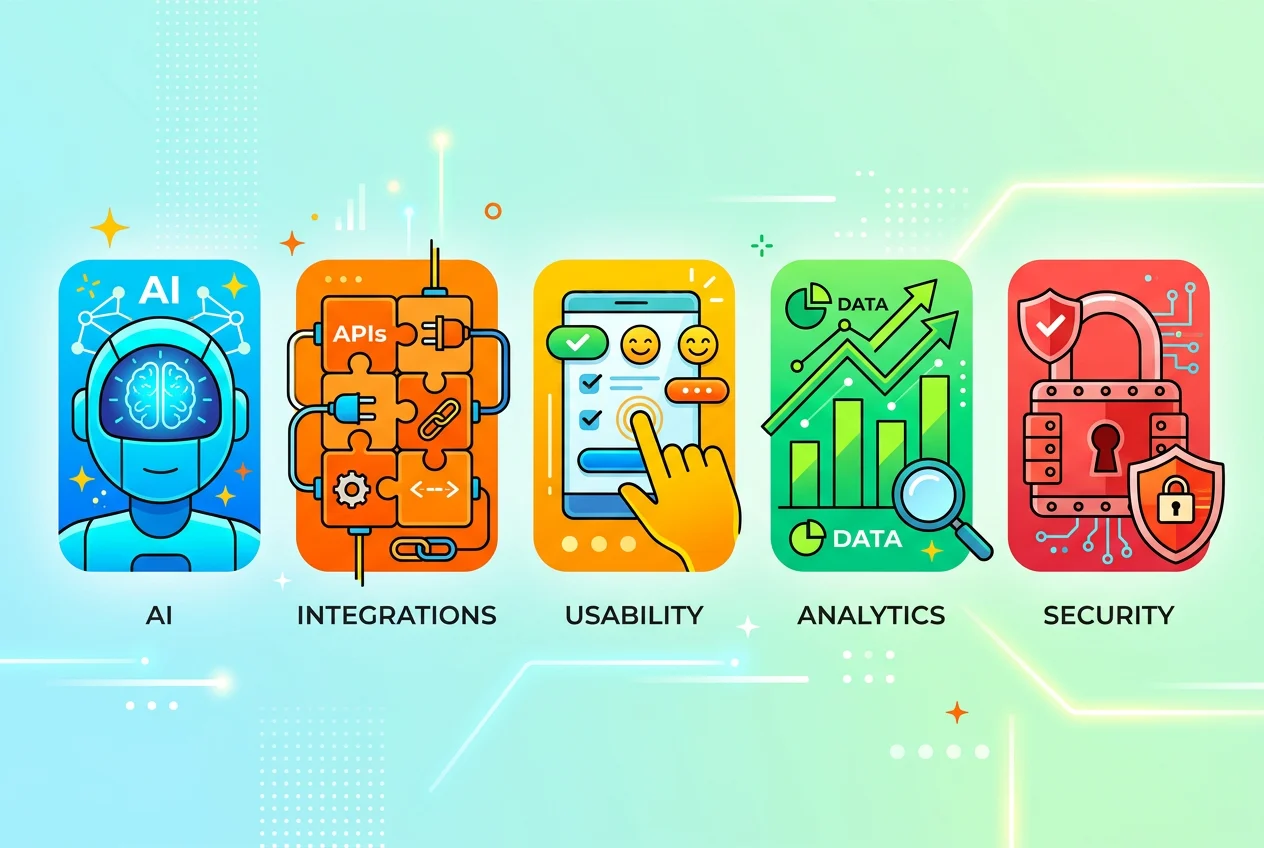
Start with five decision drivers that matter more than brand names.
AI & automation: Are there built-in AI agents for outreach, lead scoring, summarization and forecasting?
Integrations: Does it connect to your website, ads, email, calendar, and billing without brittle workarounds?
Usability: Can reps and marketers adopt it in days, not months?
Reporting & analytics: Are pipeline-to-revenue reports and attribution native or add-ons?
Data & governance: Security, roles, and compliance for your industry.
Why AI now matters
AI shifts CRMs from record-keeping to revenue-driving tools. Auto-generated outreach, meeting minutes, and predictive lead scoring reduce busy work and speed up follow-ups. When evaluating platforms, test AI outputs for accuracy and control — a “helpful” AI that makes mistakes can harm conversion rates.
CRM software comparison: top platforms and where they fit
Below is a concise comparison of widely used CRM options in 2026. Use it as a shortlist, then test trial accounts with your team and sample data.
Platform | Best for | AI & Automation (2026) | Scalability / Pricing model |
|---|---|---|---|
HubSpot | Growth SMBs, marketing-led teams | Strong native marketing automation and conversational AI assistants | Free tier to enterprise; modular add-ons |
Salesforce | Large orgs, complex custom processes | Advanced AI with wide partner ecosystem; custom agent development | Enterprise-focused licensing and extensive customization |
Zoho CRM | Cost-conscious SMBs needing features | Improved AI assistants and automation across suite | Affordable tiering; broad application suite |
Pipedrive | Sales-first teams needing simple pipelines | Pipeline-focused AI tasks and sales activity automation | Straightforward per-user tiers; easy to adopt |
Microsoft Dynamics 365 | Enterprise with Microsoft stack | Strong AI integrations, applies across CRM + ERP | Tight Microsoft ecosystem pricing, enterprise licensing |
Use the table to shortlist 2–3 platforms. Then run a 30-day pilot that includes your actual lead flows, email templates and sales sequences.
How to evaluate total cost and ROI (use the Kazi ROI approach)
Upfront software fees are only part of the cost. Include migration hours, staff training, automation build, data cleanup, and the opportunity cost of downtime.
Estimate incremental conversion improvement (%) you expect from faster follow-up and automation.
Calculate recovered hours per rep from automation (time saved × hourly value).
Add revenue upside from higher close rates or reduced churn.
Compare those gains to implementation and subscription costs over 12 months.
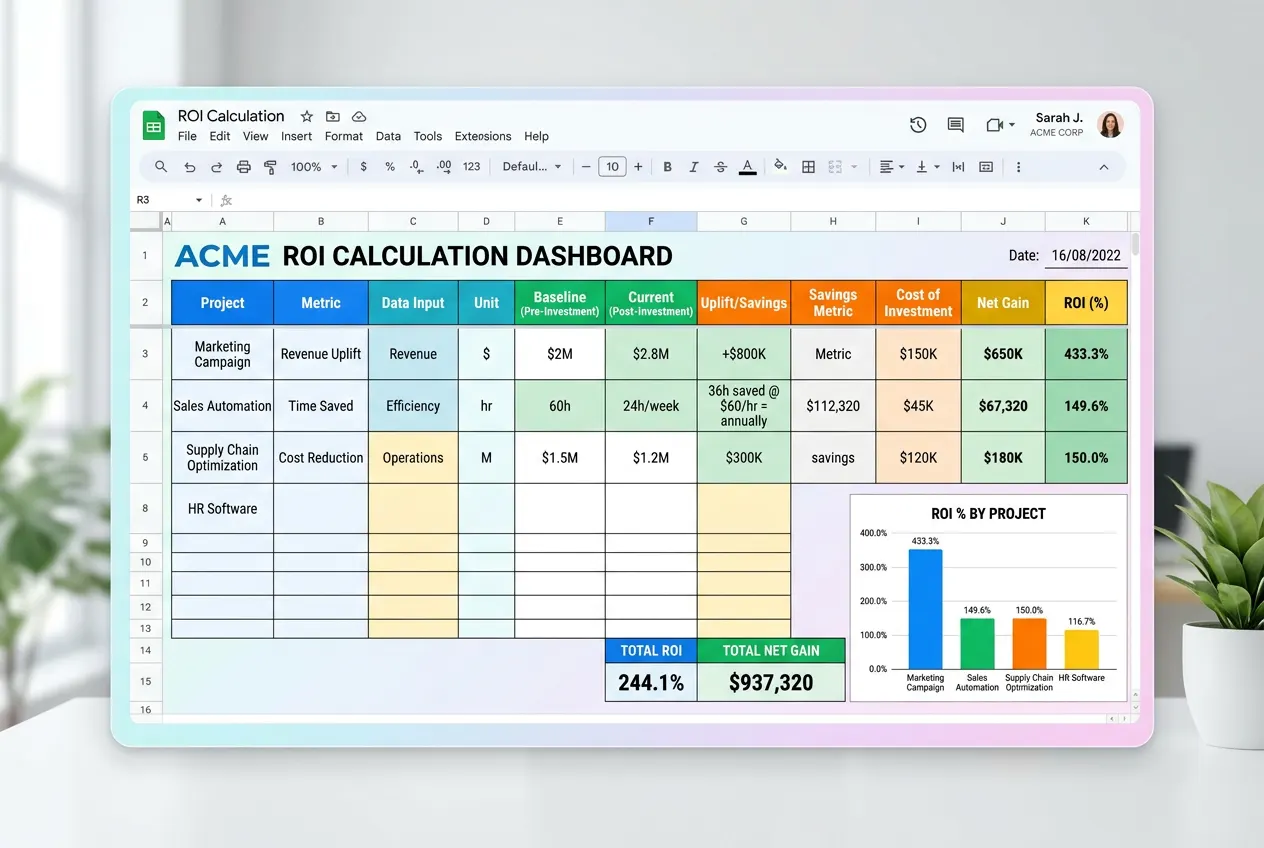
At Kazi we turn this into a one-page ROI view during audits. If you’d like a numbers-based readout, start with a Free AI Business Audit to capture baseline metrics.
When to DIY a CRM migration and when to hire an agency
DIY makes sense when you have: one or two integrations, a small sales team, and someone experienced in data mapping. Hire an agency when migration risks threaten revenue — e.g., complex lead routing, many marketing automations, or sales reps resistant to change.
Choose DIY if: minimal integrations, low data complexity, and experienced internal admins.
Choose an agency if: you need faster ROI, lower migration risk, or want custom automation built (Kazi offers CRM & Pipeline Management and Marketing Automation Services which help bridge handoffs between sales and marketing).
Real signals that you should hire help
We recommend agency help when lead response time exceeds an hour, sales activity logging is inconsistent, or you have >3 tools to integrate. In a real example, an Apex Wellness Group project we ran cut lead response time from 6+ hours to 4.2 minutes and increased bookings 217% after automation — results that required both technical and process changes. Read the full case study: Case Study: 217% More Bookings with Marketing Automation.
Common migration mistakes we see (and how to avoid them) — first-hand experience
From our work with TechStack Pro, Premier HVAC Solutions and other clients, common errors repeat across industries:
Poor data hygiene: duplicate or missing fields cause broken automations. (We fixed this in projects like Premier HVAC Solutions.)
Over-automation: building complex sequences that nobody maintains, leading to stale outreach.
Ignoring field-level permissions and user training — adoption drops quickly if reps feel blocked.
Sample checklist before you switch CRMs
Export and document current data schema and field definitions.
Map lead sources to standardized UTM and source fields.
List required integrations and test webhooks in a sandbox.
Define success metrics (response time, MQL-to-SQL conversion, revenue per rep).
Plan phased rollout with training and feedback loops.
Next steps: testing, pilots, and getting expert help
Run a 30–60 day pilot with real teams. Measure lead response time, conversion lift, and hours saved. If you want faster measurement, Kazi can run the pilot, build automations and generate revenue-ready reports with our Analytics & Reporting services.
Conclusion — choosing with confidence
In summary, a thorough crm software comparison in 2026 must centre on AI capability, integration depth, and real ROI. Shortlist platforms with trials, run pilot tests with real data, and include migration costs in your calculations. If migration risk or time-to-value matters, consider hiring an agency to accelerate results and avoid common pitfalls.
Ready to quantify the impact? Book a free strategy call with Kazi Agency to run an ROI check and migration plan tailored to your tech stack: Book a Free Consultation.
Related reading: Explore our services for Lead Generation Services and Appointment Scheduling Automation to see how CRM choice ties into your broader growth stack.
Frequently Asked Questions
What are some popular CRM software?
Popular CRM software in 2026 include platforms like HubSpot, Salesforce, Zoho CRM, Microsoft Dynamics 365, and Pipedrive. Each targets different business sizes and needs — from free starter plans to enterprise suites with advanced AI and automation.
What are the 7 components of CRM?
The seven common CRM components are contact management, lead management, opportunity tracking, sales pipeline management, marketing automation, customer service/ticketing, and analytics/reporting. Modern CRMs often add AI-driven personalization and workflow automation.
Is Excel a CRM software?
Excel can store contacts and basic data but is not a CRM. It lacks automation, pipeline views, integrations, activity tracking, and AI features. For scalable sales and marketing workflows, dedicated CRM software is recommended.
What is the #1 CRM in the world?
There’s no single “#1” CRM for every business. Market leaders by adoption and ecosystem size are Salesforce and HubSpot, but the right choice depends on budget, integrations, automation needs, and team workflow.
Kazi Agency Team — AI marketing automation and CRM specialists helping SMBs scale lead generation